Tuesday, October 29, 2019

Gcam 6.1.021 for Redmi Note 8 Pro Review

https://c.mi.com/thread-2519698-1-0.html
I tried this gcam port. It is not as good as the Xiaomi in high resolution. It has colour distortion when HDR was enabled.
Maximum resolution is still achieved with HDR enabled but it peaks at 3600 lines vertical. Mi camera can achieve up to 4800 lines vertical.

Google version 5.1.018 port cannot be downloaded.


[Tips] Installing GCam for Redmi Note 8 Pro

2019-10-14 17:47:42
41254 87
Installing GCam for Redmi Note 8 Pro

Hei Redmi Note 8 Pro users,

Wassup? Hope everyone is good. Today, I bring good tidings. What is it? The newly launched Redmi Note 8 Pro is equipped with a high resolution 64-megapixel Samsung GW1 sensor, which is paired with an 8-megapixel ultrawide lens, a 2-megapixel macro lens and a 2-megapixel depth sensor. For selfie and video calling, it comes with a 20 MP camera in front, powered by MediaTek Helio G90T SoC and backed with a large 4,500mAh battery. Now, we are blessed with the GCam. Thanks to Arnova8G2 and BSG for porting GCam for us. Let's do it.

Installing GCam for Redmi Note 8 Pro

Google camera mode
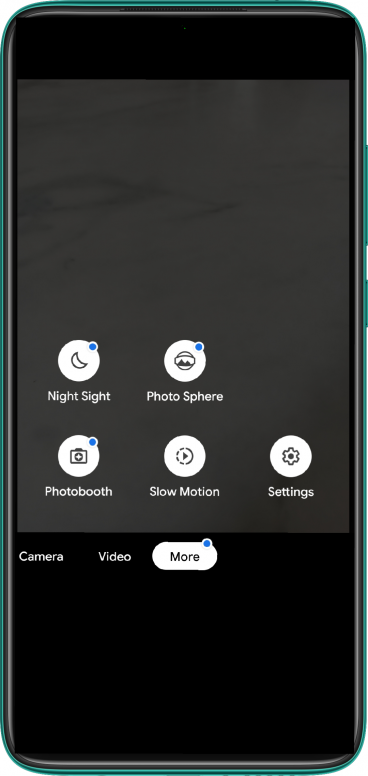
  • Night Sight
  • PhotoSphere
  • Photobooth
  • Slow Motion
  • RAW support
  • HDR+
  • Motion
  • Panorama
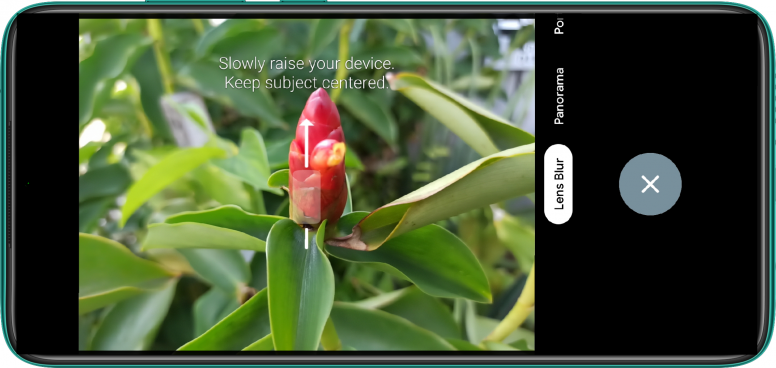
  • Lens Blur
  • Google Lens
  • Portrait

Installing GCam for Redmi Note 8 Pro

What's not working
Google Camera 6.1.021
  • Portrait mode
  • Video mode
  • Slow Motion
  • Night Sight

Google Camera 5.1.018
  • All working

MGC_6.1.021_xcam6_RN8P_Wyroczen_TEST3
* Base was changed to wyroczen mod of xcam. *It wasn't properly tested yet.* For the Xiaomi Redmi Note 8 Pro.
- Main/Wide/Macro switch (Main camera still have blackscreen)
+ It should have less noise in Wide and Macro cameras
+ HDR+ should work in Wide/Macro/Front
+ Portrait should work at least in front
- Nightsight not working
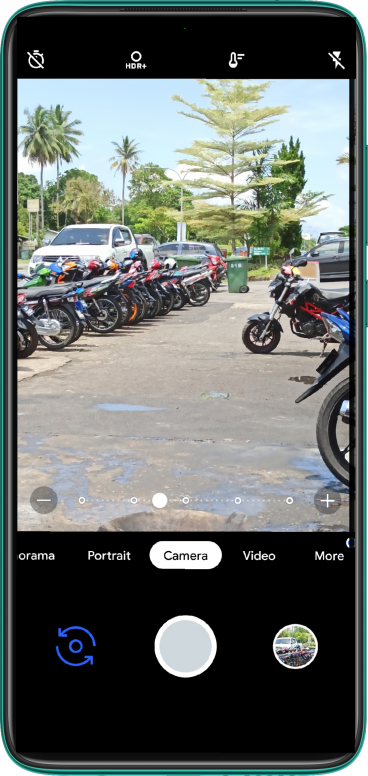
Installing GCam for Redmi Note 8 Pro

Installing Google Camera (GCam)
Download from the links below.
Installing GCam for Redmi Note 8 Pro

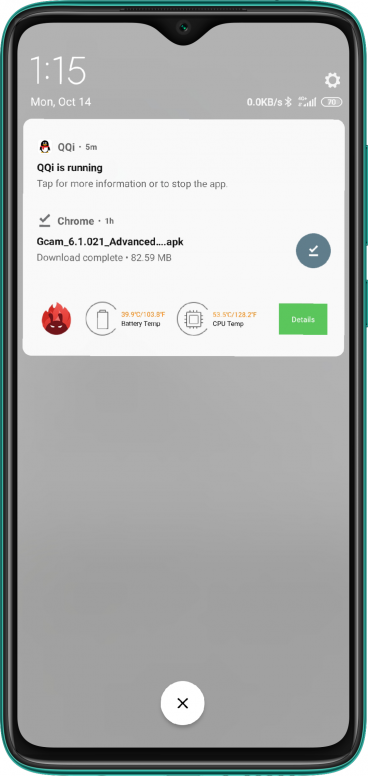
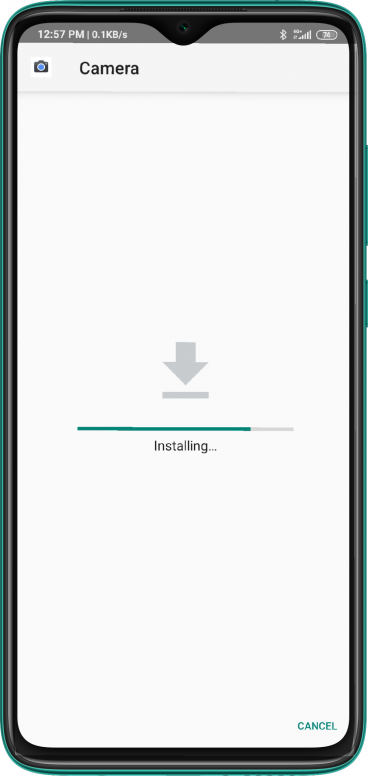
Next, once downloaded, go-to your File manager, click the downloaded GCam Apk OR click & install right from the floating message from the screen pull-down notification.
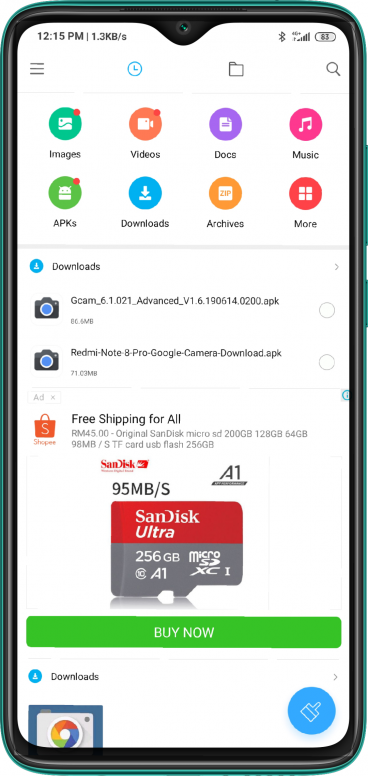
Installing GCam for Redmi Note 8 Pro

Installing GCam for Redmi Note 8 Pro

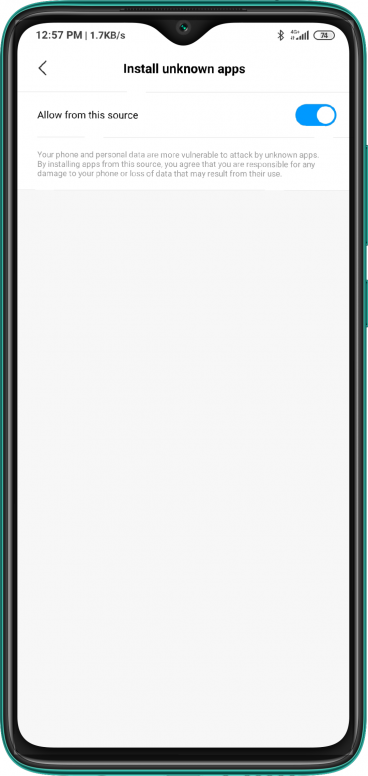
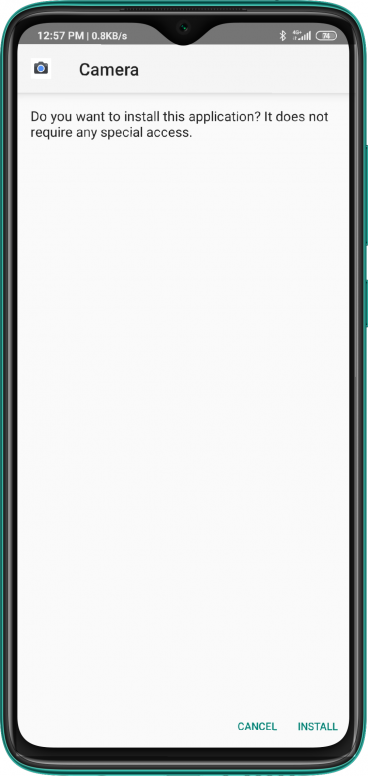
Enable "Allow from this source" options followed by clicking "Install" to accept the installation of Camera. You can click "Cancel" during the installation but you think GCam is not for you.

Installing GCam for Redmi Note 8 Pro

Installing GCam for Redmi Note 8 Pro

Installing GCam for Redmi Note 8 Pro

Installing GCam for Redmi Note 8 Pro

After Mi Security check, click "Open" and Walla!, it's launching flawlessly. Now you can start shooting at will.
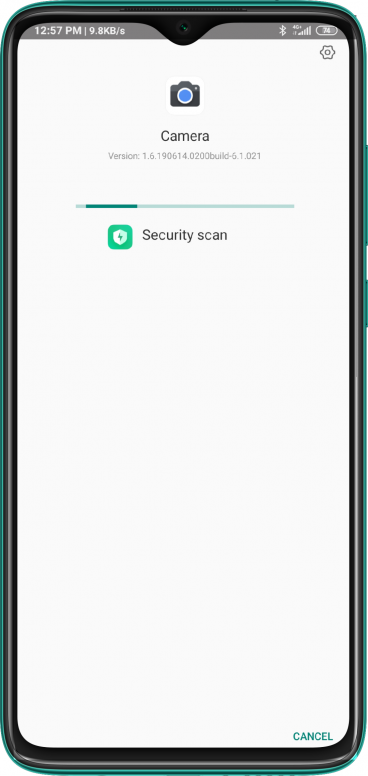
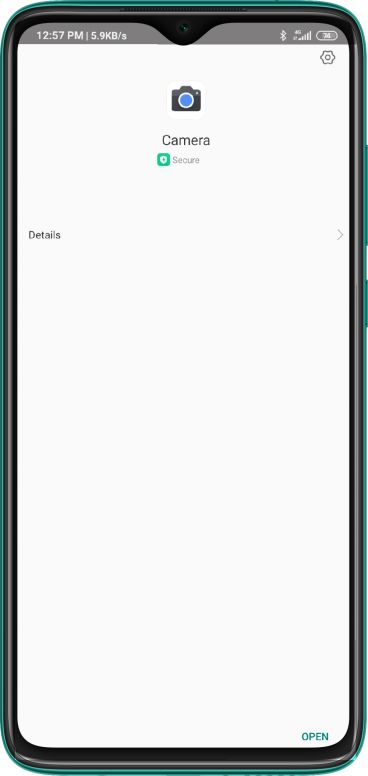
Installing GCam for Redmi Note 8 Pro

Installing GCam for Redmi Note 8 Pro

Next, allow all required permission for GCam to function.
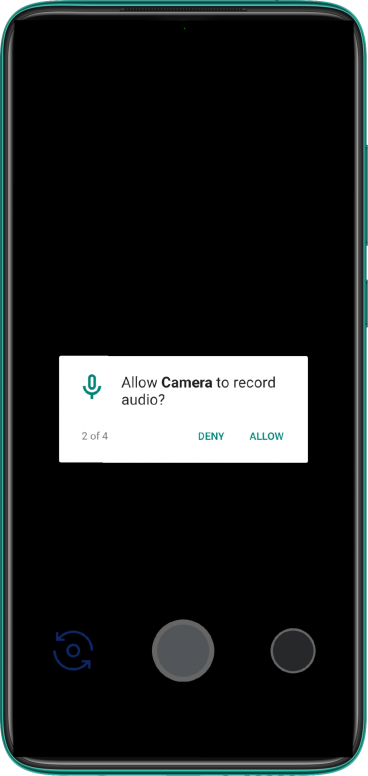
Installing GCam for Redmi Note 8 Pro

Installing GCam for Redmi Note 8 Pro

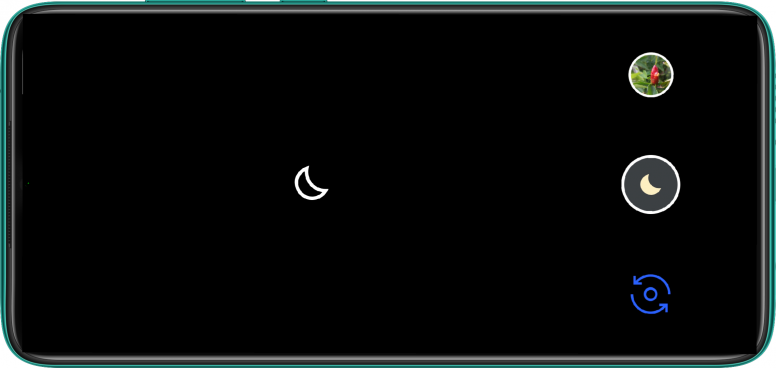
Some of the modes and features.

Installing GCam for Redmi Note 8 Pro

Installing GCam for Redmi Note 8 Pro

Installing GCam for Redmi Note 8 Pro

Installing GCam for Redmi Note 8 Pro

Some shots of GCam

Installing GCam for Redmi Note 8 Pro

Installing GCam for Redmi Note 8 Pro

Installing GCam for Redmi Note 8 Pro

Installing GCam for Redmi Note 8 Pro

Installing GCam for Redmi Note 8 Pro

Installing GCam for Redmi Note 8 Pro

Installing GCam for Redmi Note 8 Pro

Installing GCam for Redmi Note 8 Pro

Installing GCam for Redmi Note 8 Pro

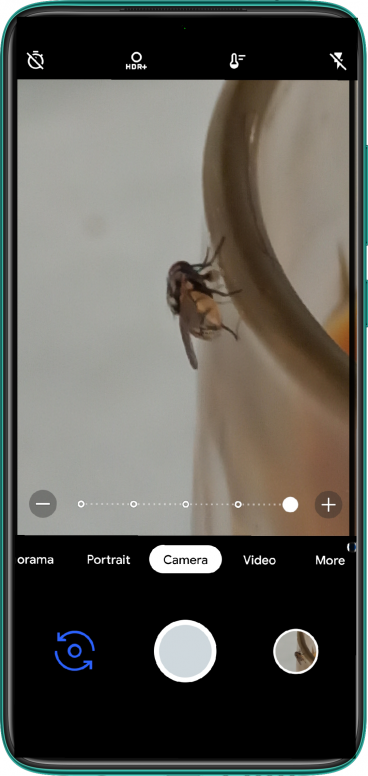
The on-screen slider in action for Super Res Zoom.
Installing GCam for Redmi Note 8 Pro
Thats a quickie shot of the Super Res Zoom.

Samples of Stock vs GCam

Installing GCam for Redmi Note 8 Pro

Installing GCam for Redmi Note 8 Pro

Installing GCam for Redmi Note 8 Pro

Installing GCam for Redmi Note 8 Pro

Installing GCam for Redmi Note 8 Pro


Installing GCam for Redmi Note 8 Pro

Installing GCam for Redmi Note 8 Pro

Installing GCam for Redmi Note 8 Pro

Thoughts
Well, I am again amazed with the stunning pictures with GCam. It's a must have tool, especially for Redmi Note 8 Pro considering it is equipped with the state of art lens and camera setup. With Google Camera you could enjoy the features of the latest Pixel 3. It just gives every camera shooter a sense of gratification and renewed perspective in Mobile Photography with GCam. Once again my gratitude to both Arnova8G2 and BSG for doing a great job even though there more work to be done to get the mod to perfection and everything to work as it is. From my experiment GCam V6.1.021 failed at Portrait mode, Night Sight mode returned a black screen meanwhile Video mode and Slow Motion mode simply crashed. For a better experience GCam V5.1.018 works flawlessly, minus the Night Sight, Photobooth and Portrait features. I will update the thread once I have more pictures taken and latest version available. Thanks.


Rate

Number of participants 6 Experience +95 Pack Reason
2019-10-14 17:47:42
BeingBishal | from MI 9 SE
#1
Thanks for the guide!
2019-10-14 17:50:58


Mohammed Abdalfattah | from MI 8
#2
Amazing review, Thanks for sharing
2019-10-14 18:19:54

Ian Adoe | from Redmi Note 5A Prime
#3
Thabks for sharing
2019-10-14 19:55:45

iMKajal | from MI 8
#4
Thanks for sharing with us!
2019-10-14 23:09:50

thank for sharing
2019-10-15 00:16:24
tZe_vitamin | from Redmi Note 8 Pro
#6
I try it and Night Mode, video and photobooth not working for me.. also I compare some photos and ots the same as Stock camera so.. I will continue with Stock..
2019-10-15 01:05:57
tZe_vitamin | from Redmi Note 8 Pro
#7
2019-10-15 02:01:02Copyright©2016-2019 Xiaomi.com, All Rights Reserved

Saturday, October 26, 2019

Why you need 64Mp cameras?

  1. Redme Note 8 Pro is the first camera available in Malaysia with 64Mp camera. I had tested it and its resolution is around 30Mp at the centre and in bright condition.
  2. This is good because even DSLR with large lenses cannot achieve more than 50% of the specified Mp.
  3. The video below explains it nicely to you in a very detailed information.
  4. 300 dpi is called retina by Apple when viewed at 12 inches. But when viewed at 6 inches, you need 600 dpi. https://www.webopedia.com/TERM/R/retina_display.html
  5. The calculation is based on 1 minute of arc for adjacent pixels to our eyes.
  6. I have just bought a 23.6 n FHD 1920x1080 IPS monitor. I can see individual pixels at 12inches so I was disappointed because it is at around 93 dpi.
  7. Currently, I am writing this article using a UHD 15.6in monitor. I cannot see any dots because its resolution is at more than 282 dpi. https://www.sven.de/dpi/
  8. A 64Mp sensor can produce only 32Mp resolution. Reduce the picture to 32Mp.
  9. For 8K display, 8Kx4K, for a 30in display, ppi is 298
  10. 4K, or UHD, 30in,  it is 149 ppi.
  11. For printed materials, you can go for 600 dpi, so the size of 32Mp image can be like a 14in monitor, which is not that big.
  12. Why do iPhone pictures look better than Redme pictures, as shown by reviewers?
  13. Most reviewers talk about automatically taken pictures. Redmi downsizes pictures to 16Mp, in order to perform better in low light environment. iPhone has better HDR software, but it cannot recover lost data because of its 12Mp sensor.
  14. To maximise your 64Mp sensors, use them at bright places. In low light places, use external flash lights.
  15. Even professional photographers need to rely on artificial light sources in order to get the best pictures.
  16. To get the best out of a sensor, use them with RAW capture ability. Google Camera.
  17. https://www.soyacincau.com/2019/10/24/realme-xt-64mp-malaysia-launch-xrs/ Realme XT will be introduced in Malaysia next week. It will cost RM1000, cheaper than Redmi, but with Snapdragon 712. With AMOLED display and light weight, it will be ideal for non-gamers.
 

Monday, October 14, 2019

Testing HDR Display of Redmi Note 8 Pro

If you want to test your HDR TV or phone, use this youtube link.
Check the quality and set them to resolutions with HDR, e.e. 1080p HDR.

I can play with this quality on my PC at 1080p but its colour is not as good as my
mobile phone which has HDR display. Redmi Note 8 Pro, despite it being IPS LCD only.

The mobile phone appears better in colours than my 65in LG TV.

Saturday, October 12, 2019

Cheaptest Noise Cancelling Earphones goes to the Xiaomi Airdots

https://www.businessinsider.com/apple-airpods-review-vs-xiaomi-airdots-2019-1?IR=T

Do not confuse Mi Airdots with Redmi Airdots, their prices differ by more than 100%.

Mi Airdots for RM125 from  wesupermarket.
 https://shopee.com.my/Xiaomi-Mi-AirDots-TWS-Bluetooth-Earphones-Wireless-In-Ear-Earbuds-(TWSEJ02LM)-i.58733693.2177334920

Redmi Airdots for RM64.90 from dasher.
 https://shopee.com.my/-LATEST-Xiaomi-Redmi-AirDots-TWS-Mi-True-Wireless-EarBuds-Basic-Earphone-Bluetooth-5.0-Bass-Voice-Control-(BLACK)-i.724335.2166795853

The Haylou GT1 costs around RM70 and I bought 4 of them, thinking that they have active noise cancellation, but it does not. It is wasterful. But it is better than Redmi Airdots because it uses touch switches and has larger driver so its sound is better. The Haylou GT1 is similar to MI Airdots but without noise cancellation.

 I need to order another wireless phone. I already have 3 wired ANC phones.

According to reviewers, QCY T1 Pro is better than Haylou GT1 and has noise cancellation, at RM100.
 https://shopee.com.my/QCY-T1-PRO-TWS-Wireless-Sport-Bluetooth-5.0-Earphones-Headphones-w-Dock-i.18695082.1298443079

Mention of noise cancellation at 4:50
https://www.youtube.com/watch?v=3LektXYz7Vk


We compared Apple's $159 AirPods to Xiaomi's $30 AirDots and the winner was clear

2:28

https://www.businessinsider.com/apple-airpods-review-vs-xiaomi-airdots-2019-1?IR=T&jwsource=cl


Read about them here. At 3:15 he will tell you about the lack of active noise cancellation.


These are AirPods, Apple's $159 wireless headphones and these are AirDots, Xiaomi's $30 wireless headphones.
Xiaomi has long been referred to as the Apple of China. So we wanted to know, how do the headphones compare? Are AirPods worth the cost? Or can AirDots provide the same quality for one-fifth the price?
Let's start with looks. AirPods weigh approximately 46 grams or 1.6 ounces (4 grams per each AirPod and 38 grams for the case). And the AirDots weigh approximately 39 grams or 1.4 ounces (4.2 grams per each AirDot and 30.6 grams for the case). Both come in a container about the size of a pack of floss.
As for design, AirPods basically look like your normal Apple EarPods without the wire. They're long, sleek, and are generally molded to the shape of an ear. The AirDots look more like hearing aids. They're in-ear headphones that have an oval shape exterior which makes the earbuds bulky and a little bit heavy despite being a fraction of the weight of the AirPods.
Both the AirPods and the AirDots will automatically connect to your Bluetooth device when you put them in your ear. The AirPods do connect a little faster to your iPhone because it's an Apple product, but the AirDots still connect pretty quickly. Bluetooth, in general, is still an issue. I've had my AirPods glitch on me one or two times before. The sound would go in and out and there was one instance where only one of my AirDots was connected.
The AirPods are pretty comfortable and require very little effort to place in your ear. AirDots, on the other hand, require a bit more effort to stick them in your ear. Since they're in-ear headphones, the silicone rubber earbuds can be uncomfortable to wear. You might feel like your ears are clogged, as if you're in an airplane or underwater and they might take some time to fit and adjust in your ears. However, once they are in there, they rarely fall out no matter how hard you shake your head.
Moving on to the most important part, the sound quality. AirPods don't have a noise-canceling feature but music still sounds crisp and there's a decent bass. AirDots have a really good noise-canceling feature, a powerful bass, and clear sound. Unlike the headphones that sit in the outer ear, these earbuds extend into your ear canal, blocking out most sound from your surroundings. While this can provide you with some high-quality music, it might not be good if you like hearing everything around you. I wore them while walking down the busy streets of New York City and I couldn't hear any honking cars or the loud crowd.
You can also make phone calls on both devices. AirPods filter out the background noise pretty well and are able to emphasize the person's voice, but AirDots have limitations. You can hear a lot of background noise, like ruffling sounds from your clothes and your footsteps, which is distracting when you have to take a call on the go. If you use earbuds a lot for phone calls, you might wanna stay away from AirDots, despite them being good at blocking background noise while listening to music.
To end a phone call, you have to double tap your AirPods. For AirDots, you can single tap. You can also single tap either side of your AirDots to play a song, pause a song, or double tap to open voice assistant. While single tapping sounds like a more simple gesture it can actually be an issue. You could be adjusting your AirDots in your ear but it would register it as a tapping motion on the headphones. AirPods, on the other hand, offer a double tap feature that you can customize for each bud. You can set one AirPod to play the next or the previous track and the other pair to pause a song, open Siri, or turn the feature off completely. Taking one AirPod out of your ear also stops the music from playing.
These headphones also offer similar ranges. Apple claims the AirPods have a range of about 12 meters or 40 feet while Xiaomi says the AirDots can reach about 10 meters or 32 feet.
As for battery life, AirPods can last up to 5 hours of constant listening while AirDots can last up to 4 hours. Both devices come with a case that charges them. However, the AirPods will show you the battery percentage for both the case and the headphone on your phone while the AirDots will only show you the battery icon on your connected mobile device. There are lights on both headphones that indicate when they're charging. The AirPods use the same lightning cable as your iPhone so you don't have to worry about carrying another cable to charge them, whereas the AirDots use a micro USB cable.
Overall, for $30, I say the AirDots are a great deal. They're a solid set of wireless headphones that have most of the features of the AirPods at a fraction of the price. But if you don't mind the high price tag, want the customization of AirPods, and are already in Apple's ecosystem, the AirPods may be the way to go.


MI AIRDOTS
Product Description
Xiaomi Mi AirDots TWS Bluetooth Earphones Wireless In-Ear Earbuds TWSEJ02LM

Xiaomi Mi AirDots TWS Bluetooth Earphones Wireless In-ear Earbuds with Mic and Charging Dock
Main Features:
● Split body design, pick up automatic boot, storage automatically shut down and charge
● Storage box for easy carrying
● Bluetooth 5.0 technology, stereo call, intelligent noise reduction, automatic connection, ultra-low power consumption
● Smart touch operation
● 7.2mm dynamic speaker, wider range, more explosive sound
● Weighs only 4.2g, ultra-mini body, comfortable to wear
● Comes with 300mAh charging dock for 12 hours of battery life
Brand: Xiaomi
Function: Answering Phone,Bluetooth,Microphone,Noise Cancelling,Voice control,Voice Prompt
Material: ABS
Model: TWSEJ02LM
Type: In-Ear
Wearing type: In-Ear
Application: Running,Sport,Working
Charging Time.: 1.5 hours
Compatible with: iPhone,Mobile phone
Connectivity: Wireless
Frequency response: 20-20000Hz
Driver type: Dynamic
Impedance: 16ohms ± 15 percent
Music Time: 4H
Sensitivity: 106 ± 3dB
Sound channel: Two-channel (stereo)
Standby time: 12H
Talk time: 4H
Working Voltage: 3.7V
Bluetooth: Yes
Bluetooth mode: Headset
Bluetooth protocol: A2DP,AVRCP,HFP,HSP
Bluetooth Version: V5.0
Battery Capacity(mAh): 40mAh Li-ion Battery
Battery Type: Built-in
Package size (L x W x H): 10.00 x 8.00 x 6.00 cm / 3.94 x 3.15 x 2.36 inches
Package weight: 0.107 kg
Product size (L x W x H): 2.30 x 1.45 x 1.30 cm / 0.91 x 0.57 x 0.51 inches
Product weight: 0.0800 kg
Package Contents: 1 x Pair of Earphones, 1 x Charging Dock, 1 x Charging Cable, 2 x Pair of Silicone Eartips

Friday, October 4, 2019

Xiaomi Redmi Note 8 Pro value for money

I bought Xiaomi Redmi Note 8 Pro, global version , 6Gb RAM and 128Gb storage, from Shopee for RM1039 including postage via JT Express.
 https://shopee.com.my/product/48929767/2879573933


It is a medium level phone because it is not equipped with the fastest in 2019 which belongs to Qualcomm Snapdragon 855. It is only equipped with Mediatek 12nm G90T processor, which is almost as fast than last years flagship processor, the Snapdragon 845. Antutu score of 282,000 vs 300,000.

Running on Android 9 is smooth and it can play online games such as PUBG at the highest settings at high refresh rates with little stutter.

Its camera is good. It is the only one with 64Mp camera readily available in Malaysia Realme XT, is not easy to buy and is much less inferior. It does not even have NFC,which is vital for some applications such as UMS attendance system, Smart Hadir

Compared to Mi 9T, Note 8 Pro is faster and has the 64Mp camera. But because Google Camera app can be installed in Mi 9T, its pictures can be better than Note 8 Pro in noise and dynamic range but not in resolution (detail). Detail is very important because you cannot recover lost details whereas noise and dynamic range can be manipulated, at a loss of detail though. In bright light, Note 8 Pro will beat cameras equipped with Sony's 48Mp sensors, even with raw mode processing.

The weakness of the Note 8 Pro is the LCD display but I do not notice much difference compared to the Amoled display of the Mi 9T. Its display is even better than Xperia Z5 Premium 4K LCD.

Another possible weakness is the back placed finger print sensor, compared to in screen sensor but I notice that there is very little difference. Of course, it is the little difference that makes phones superior. Surprisingly, the Note 8 Pro finger print sensor is better than the Sony Z5 Premium which is located at the power button, like some Huawei mobile phones. I can wake the Note 8 Pro quickly even with one hand. The small space and the phone casing of the Z5 makes it difficult to wake up the Z5 using finger print.

Another weakness is the 20Mp selfie camera. Its picture is very bright but I do not think it can beat the Sony XA1 Ultra 16Mp with OIS, especially inside a room,

Another mobile phone with 64 Mp is the Realme XT but withut NC, not good for me. It is also slower with Snapdragon 730. A better option is the Realme X2 but still difficult to find but available at Shopee for RM1500. Redme Note 8 Pro is still a better value for money.
 https://shopee.com.my/-New-product-reduction-100-purchase-win-eight-good-gifts-realme-X2-64-million-f-i.112216891.2901149338

At Aliexpress, Redmi Note 8 Pro costs around US200 and Realme X2 costs US300.

Realme X2 uses Super Amoled display but the Amoled display at the Mi 9T is not that much better than the Redme Note 8 Pro, and the Redme Note 8 Pro is 0.1in larger. Actually I do not see much difference, unlike my Nokia Lumia 1020 Amoled display which has an unnaturally rich colours.

Another advantage is the in-display finger print. It is still awkward to press one-handed. Not much better than the rear placed Redmi phone. Again not much effect for me. Unless the in-screen finger print sensor can be placed more central so that the thumb can be placed normally. For the Redmi, it can placed slightly to the top right (looking from the front) so that our fingers can be placed more naturally. However, design-wise a central location for the cameras and finger print sensor is more pleasing.

Realme uses Snapdragon 730G which is slightly faster than G90T and consumes less power. The price penalty is too much for the little advantage. The ability to find more Google camera apps may make it worthwhile but we should wait until its price has dropped more.

Despite having only 4000mAh battery, Realme should last longer than Redmi Note 8 Pro but allowing me to use the phone for more than 2 days is good enough.

Realme is also lighter which is not a big deal for me but my wife prefer a lighter phone. She feels tired easily. That is why Real is more suitable for women who are more gentle. Its disadvantage of using plastic body and lack of sealing does not matter but for me, it is vital.

Realme has the VOOC 30W special quickcharge but I cannot use a lot of my other devices such as my power bank to charge it. Despite using only 18W charger, its charger is more universal. At 3A charging rate, it should feel safer inside a car than larger chargers which can get hot very quickly.